AI PDF to Image Converter

AI PDF to Image Converter: Instant, high-quality conversion. Free, fast, online—ideal for presentations and design.

pdf formatimage format

Upload or drag a PDF here.

Max 50MB

pdf translator example[Example]
PDF to Image Example.pdf
08/05/2025

AI PDF to Image Converter – Free, Fast & High-Quality Online

AI PDF to Image Converter uses AI to instantly convert PDFs into high-quality, crisp images. Free, fast, smart, fully online—perfect for presentations or design.

AI PDF to Image Converter – Free, Fast & High-Quality Online

What is AI PDF to Image Converter?

AI PDF to Image Converter is a smart online tool that instantly transforms PDF files into high-quality images. Using advanced AI technology, it preserves clarity and detail while converting PDFs to JPG or PNG formats. The tool is free, fast, and fully online, making it perfect for presentations, design projects, or any task that requires crisp, ready-to-use images from PDF documents.

What is AI PDF to Image Converter?

Why AI PDF to Image Converter is Recommended

PDF files may not display well on all devices or platforms. AI PDF to Image Converter is recommended because it instantly converts PDFs into high-quality, shareable images compatible with any device. Free, AI-powered, and fully online, it produces clear, professional visuals that are instantly accessible.

Why AI PDF to Image Converter is Recommended

Struggling to Use PDF Content in Presentations or Designs?

Many users get frustrated when PDFs are difficult to share or include in slides, websites, or design projects. Manual conversion is often slow, requires multiple steps, and can distort layouts or reduce image clarity. AI PDF to Image Converter addresses these issues by quickly turning PDF pages into high-quality images, allowing content to be seamlessly integrated, shared, and displayed exactly as intended.

Struggling to Use PDF Content in Presentations or Designs?

What Makes AI PDF to Image Converter Stand Out

AI PDF to Image Converter combines speed, precision, and intelligence to make PDF-to-image conversion effortless. It delivers professional-quality results while keeping every detail intact, works entirely online without installation, and uses advanced AI to ensure accuracy and reliability across all your projects.

Instant Conversion to High-Quality Images

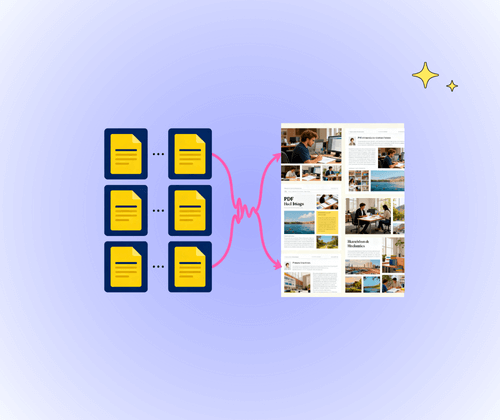
The tool captures all text, images, tables, and layouts from your PDFs, maintaining sharpness and clarity. Each page is converted with precision, ensuring that the resulting images look professional and faithful to the original document.

Fully Online and Free to Use

No downloads, installations, or sign-ups required. The AI PDF to Image Converter works on any device with internet access, allowing users to convert PDF files quickly and conveniently anytime, anywhere.

AI-Powered Accuracy and Reliability

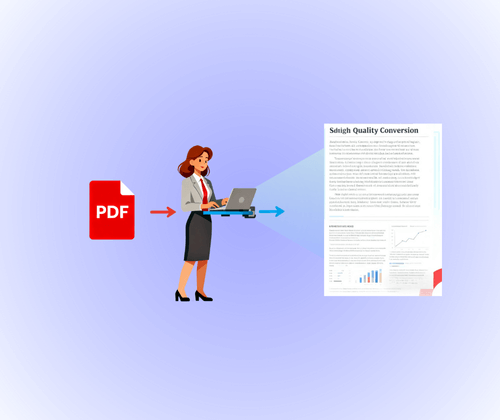
Advanced AI technology ensures that converted images retain the original PDF’s quality and structure. It provides reliable results for professional documents, design drafts, or educational materials without formatting errors.

How to Use AI PDF to Image Converter in 3 Easy Steps

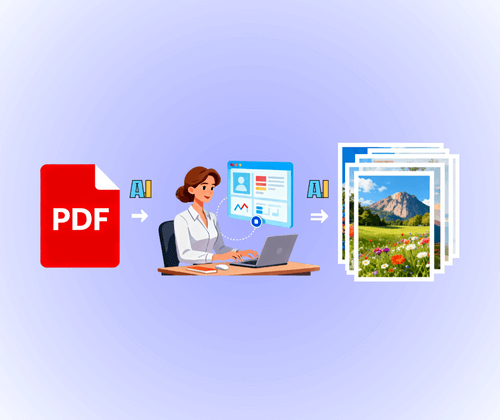
Using AI PDF to Image Converter is quick and straightforward. In just three steps—upload your PDF, let the AI process it, and download your high-quality images—you can turn any document into clear, ready-to-use visuals without extra effort.

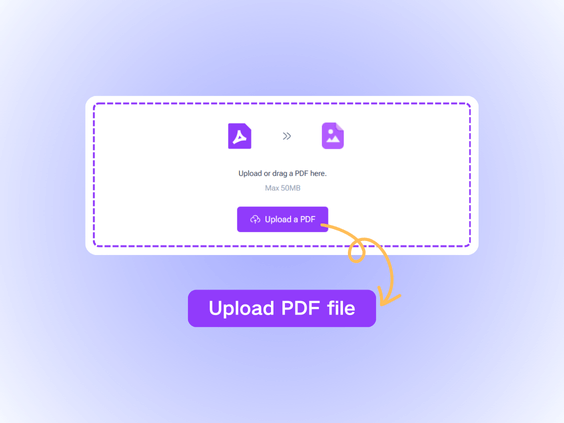
Step 1: Upload Your PDF File

Step 1: Upload Your PDF File

Start by selecting the PDF file you want to convert. You can upload directly from your computer or drag and drop it into the online tool. The interface is intuitive, making it easy to prepare your document for conversion in seconds.

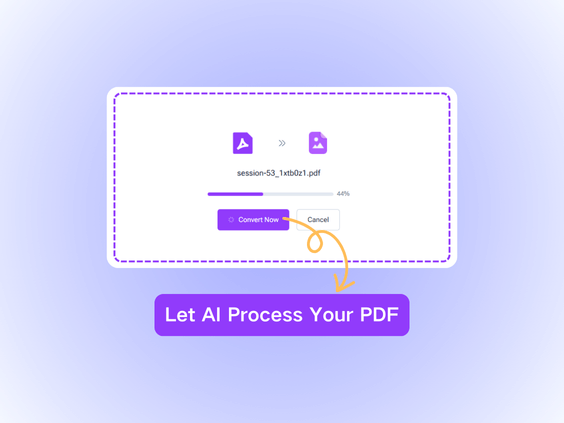
Step 2: Let AI Process Your PDF

Step 2: Let AI Process Your PDF

The AI-powered tool automatically analyzes your PDF to preserve text, images, tables, and layout. It intelligently optimizes the conversion, ensuring each page is clear, sharp, and professional without any manual adjustments.

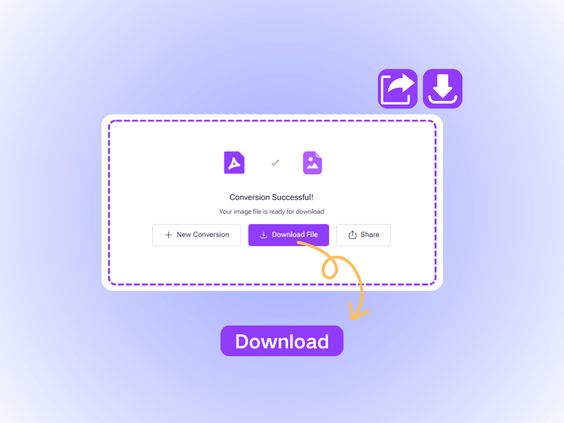
Step 3: Download and Use Your Images

Step 3: Download and Use Your Images

Once the AI completes the conversion, download your images instantly. Each image is high-resolution and ready for immediate use, helping you avoid extra editing and making your content easier to share or present.

What Users Say About the AI PDF to Image Converter

L.M. avatar

L.M.

Online Instructor

"I rely on clear visuals when teaching, and this tool saves me from resizing or fixing low-quality screenshots. AI PDF to Image Converter keeps every page neat and readable, even when displayed on large screens. It reduces preparation time and helps me share materials with students more efficiently."

J.T. avatar

J.T.

E-commerce Founder

"As a small business owner, I constantly repurpose content for marketing. AI PDF to Image Converter gives me crisp images directly from my PDFs, making it easy to share product pages or promotional materials online. I no longer need design tools or time-consuming edits. It’s reliable and fits perfectly into my daily routine."
S.K. avatar

S.K.

Marketing Specialist

"Our community team often needs images from event flyers or brochures. This tool simplifies everything. AI PDF to Image Converter produces high-quality images that upload cleanly to websites and social platforms. It removes the hassle of fixing formatting issues and keeps our updates looking professional."
R.P. avatar

R.P.

University Student

"Working with technical manuals means accuracy is everything. AI PDF to Image Converter delivers clean images that keep diagrams, numbers, and annotations intact. Many tools fail when PDFs include mixed formatting, but this one handles everything without effort. It helps me move from document to visual format in far less time."
A.D. avatar

A.D.

HR Manager

"The AI PDF to Image Converter has transformed the way I prepare training materials. It turns every PDF page into a sharp image without losing charts, small text, or layout structure. Before using it, I often struggled with distorted screenshots and unclear details, which slowed down my workflow. Now the process is smooth, predictable, and incredibly fast."
M.N. avatar

M.N.

Freelance Content Creator

"In design projects, precision and clarity matter. AI PDF to Image Converter preserves colors, edges, and layout alignment with surprising accuracy. I use it for drafts, client previews, and reference boards. The output looks clean and consistent, which makes collaboration much smoother."

Convert PDF to Image in Seconds

Say goodbye to blurry pages and layout issues. AI PDF to Image Converter instantly turns any PDF page into clear, high-resolution images, preserving every detail and minimizing the need for extra editing.

Start Converting Now

Frequently Asked Questions About the AI PDF to Image Converter